 CardMax
How to Track Spending Across Multiple Credit Cards
Short answer: use each card's monthly statement as your source of truth. Once a month, bring every statement into one place, check the totals, and look at spending per card and per month side by side. Working from statements is far more reliable than logging each purchase as it happens, because the statement is what you actually owe.
Why it is hard
Every bank app shows only its own card, and each one groups categories differently. Budgeting apps that connect to banks can help, but they require your bank login or a data aggregator, and connections break often. Manual purchase logging works for about two weeks.
A monthly method that lasts
- Collect statements. Download each card's statement as a PDF or CSV when it is generated.
- Check the total. Make sure the transactions you record add up to the statement's total, so nothing is missed or counted twice.
- Remove what is not spending. Payments, refunds and reversals are credits, not purchases.
- Compare. Look at this month against the last three to six months, per card and overall. Trends matter more than one month.
- Act on one thing. Pick the single biggest surprise and decide what to do about it.
Spreadsheet or app?
A spreadsheet works if you enjoy it: one row per statement, columns for card, month, total and category. It gets tedious once you have more than two or three cards, mostly because copying transactions out of PDFs is slow. An app that reads statements for you removes that step.
Keep it private
Statements contain your name, partial card numbers and your whole spending history. Prefer tools that process statements on your device rather than uploading them, and avoid giving any app your online banking password.
What to look for in the numbers
- Subscriptions you forgot about, often on a card you rarely use.
- Spending creeping up month over month in one category.
- Cards used for the wrong category, which costs you rewards.
- Progress toward any spending milestone or fee waiver.
How CardMax does it
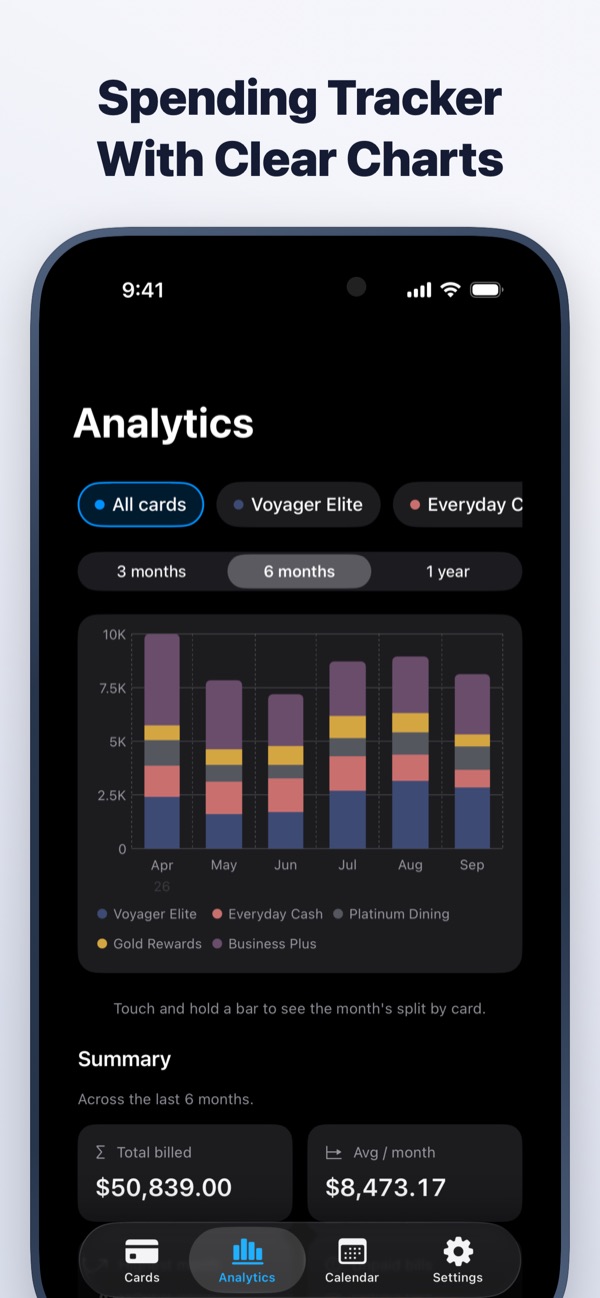
CardMax imports statements from a PDF, a CSV file or a photo, and reads them entirely on your device, including password-protected PDFs. Every import opens a review screen and shows whether the transactions add up to the statement total before anything is saved. The Analytics tab then charts spending per month, for one card or all of them together. Nothing is uploaded, and no bank login is needed.
CardMax is coming soon
All your credit cards, bill reminders, statements and spending in one private wallet for iPhone and iPad. Your data never leaves your device.
Coming soon to theApp StoreMore guides
Statement date vs due date
Two dates run every card. Learn which one sets your bill and which one costs you if you miss it.
Read guideNever miss a due date
A four-part system for tracking every card's due date, even when you juggle several.
Read guideManage multiple cards
Give every card a job, keep the dates in one place, and stop paying for cards you do not use.
Read guide